-
Internet and Email Safety
It is a best practice when interacting with technology to understand and easily identify when something is not right. Here are definitions of some cyber security terms and a few pointers to assist you identifying phishing. Definitions Hacker/Cracker = Someone who seeks to breach defenses and exploit weaknesses in a computer system or network Phishing…
-
Why MFA (Multi-factor Authentication)?
Cyber Security When people hear cyber security, they begin to think why, or something will never happen to my account or information. It is always someone else until it happens to you. Our entire lives are surround by potentially insecure technology and accounts from banking to ordering food. Passwords and PINs are easily compromised and…
-
Paper Request Form
Complete the form provided in the link below for your copier and printer needs. (If for some reason the embedded form is not loading, you can access it here
-
Preventing Technology Disasters
Types of DISASTERS DROPPED DEVICE HEATED/COOLED to EXTREMES CRACKED SCREEN DEAD BATTERIES and CHARGERS FOOD/DRINK SPILLS COMPUTER VIRUS TECHNOLOGY FAILURE Steps to PREVENT DISASTER Dropped Device: Accidents happen but some drops can be prevented. Like making sure your device is secured in your bag before standing up and moving devices from the edge of a…
-
Ask the Help Desk?
Have Questions? Technology Services help desk is here for you. The following is just a sample of what we can assist you with. Password Issues Multi-Factor Authentication Issues Network Connection VPN Moodle Questions Microsoft Applications Technology Questions/Concerns How to Contact the Help Desk: Email: helpdesk@wooster.edu Phone: (330)287-4357 Live Chat: https://inside.wooster.edu/technology/ and click on the Live…
-
Have you tried turning it OFF/ON?
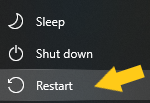
The value of restarting your machine! A restart will allow your computer to flush the RAM and clear up temporary files that could be preventing certain features. A restart can help anything from slow processing speed to internet connectivity. It is recommend that you power down your device at least twice a week to prevent…
-
SharePoint
SharePoint is a collaborative online site available within the Office 365 suite. SharePoint has many features including calendar, task, list, workflows, and libraries. SharePoint even offers a search feature to allow for quick access to files and more. Through SharePoint it is possible to upload files, sync files to OneDrive, and even export files. SharePoint…
-
Black Magic Pro Board and PTZ Optics Controller TV Studio
The Black Magic Pro Board and PTZ Optics Controller is now available in Gault Recital Hall and McCaw Chapel. These devices allow for seamless control of cameras and streaming performances. You can easily pan, tilt, and zoom with the PTZ Optics Controller and switch between cameras with the Black Magic Pro Board. Giving the complete…
-
Cameras and Microphones
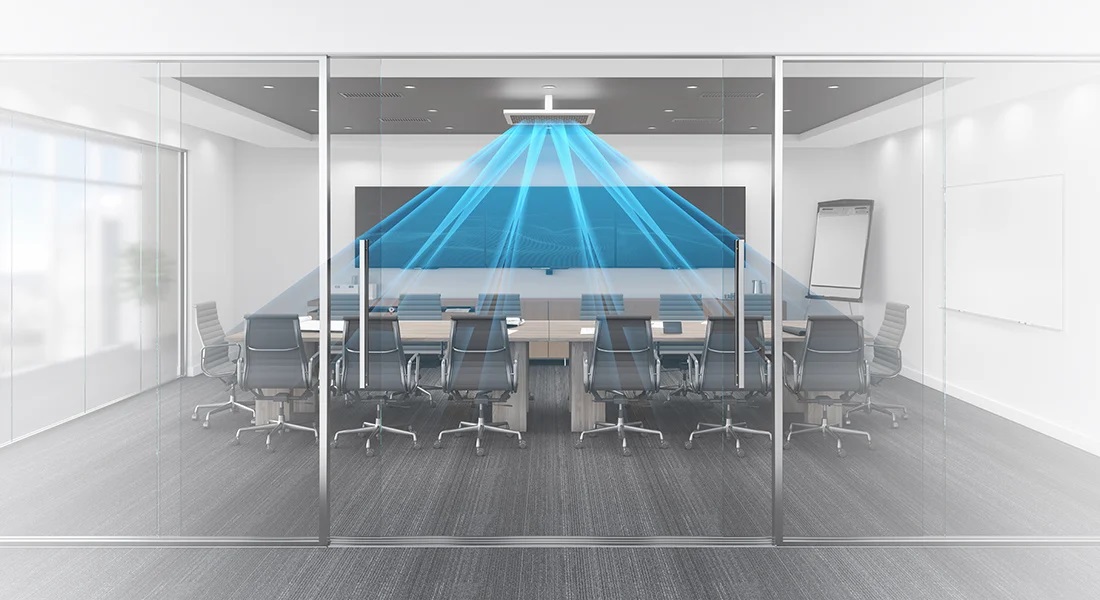
Cameras are a well established part of life, but were you aware of classroom upgrades that include this technology. Several classrooms across campus have been upgraded with mounted and portable cameras to increase interaction between remote faculty, staff, and students. The recent changes across campus also include upgraded mounted microphones/speakers and portable microphones. The Nureva…
-
Outlook Time Zone Recommendations
Having issues with appointments? Your problem may have to do with your time zone settings in your outlook mailbox or even you computers time zone setting. To check and change you time zone settings through outlook just follow these simple steps: Navigate to outlook.office.com and sign in In the upper righthand corner you will notice…
