
What can we help you with?
ArcGIS Access
All students, faculty, and staff have access to ArcGIS Online, which runs in a web browser, and ArcGIS Pro, the desktop version for Windows 11. Your ArcGIS account also gives you access to ArcGIS StoryMaps.
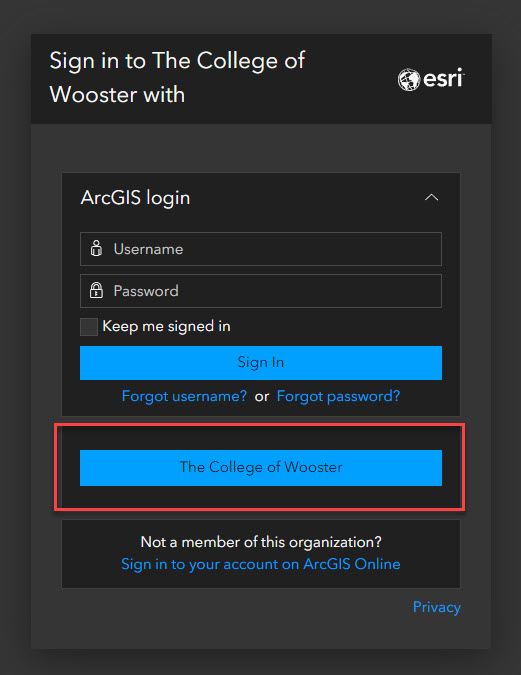
- Go to Wooster’s login portal.
- Select The College of Wooster. Do not type anything in the ArcGIS login fields.
- Sign in with your Wooster email address and password.
Installing ArcGIS Pro
ArcGIS Pro is available for Windows 11 and requires a separate install. Follow the directions available from Esri.
Getting Help
If you run into any issue during setup, contact the IT Help Desk.
- Email: helpdesk@wooster.edu
- Phone: 330-287-4357 (330-287-HELP)
- Walk-in: Burton D. Morgan Hall – Help Desk, 4th floor
- Hours: Monday through Friday, 8:30 am to 5:30 pm
Technology Services does not provide any training or support in the use of ArcGIS Online or ArcGIS.