What can we help you with?
Brickfield Accessibility
The Brickfield Accessibility+ Toolkit is now available in 2026–27 Moodle! Brickfield helps make course materials more accessible by providing alternate formats of learning content and built-in accessibility tools.
Create alternate formats of files
Moodle course files
Moodle’s alternate format feature lets you download course files in different formats to suit your learning preferences. Depending on the file, available formats may include audio and ePUB.
Convert your own files
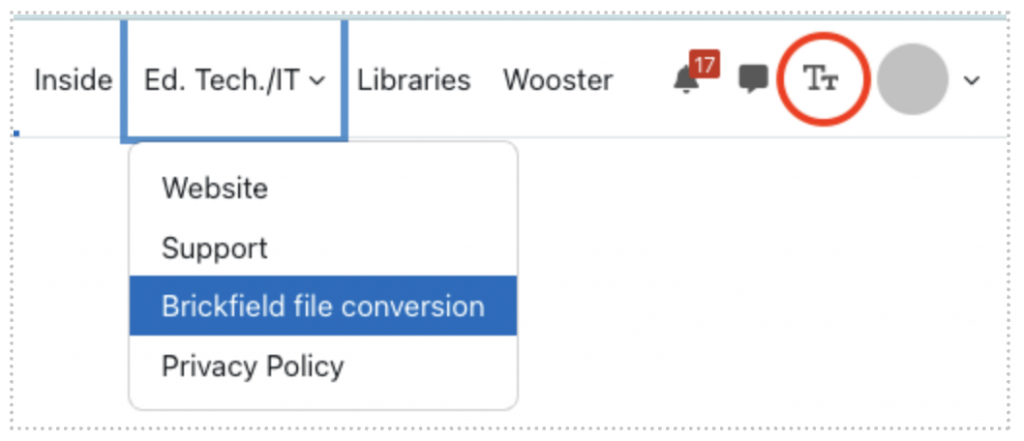
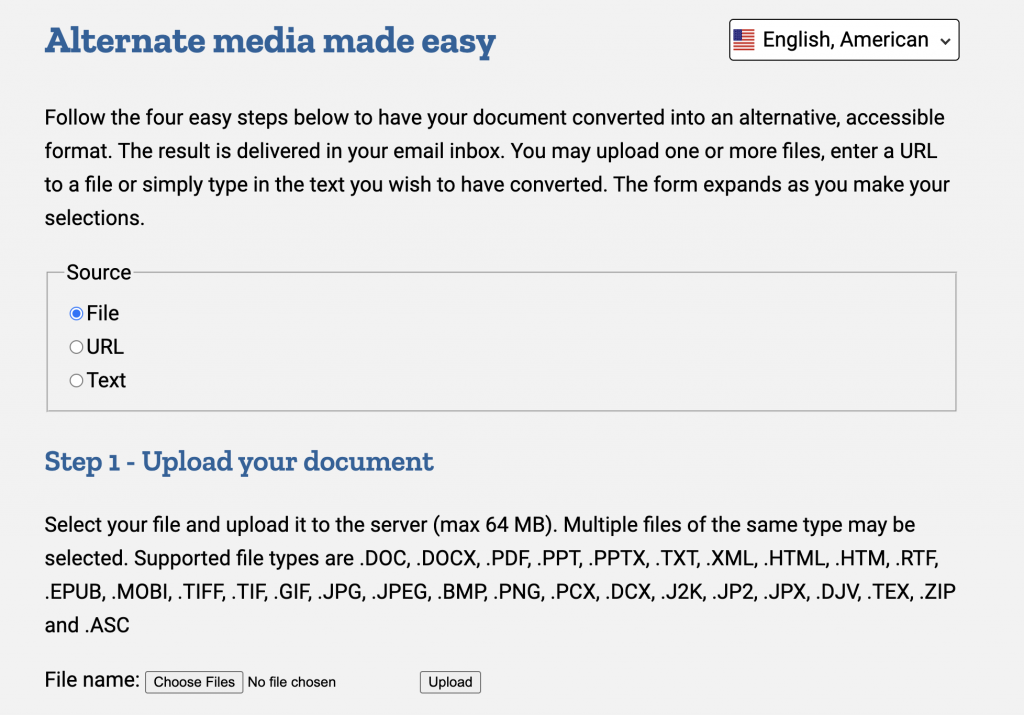
With the Brickfield File Conversion tool, any College user can convert your own files into alternate formats. A link to the tool is available in Moodle from the Access the Ed. Tech./IT navigation menu. Upload a file, provide a URL, or enter text; select your preferred output format, and the converted content will be sent to your email.
For step-by-step instructions, consult the Brickfield File Conversion Handout.
Explore Brickfield Guides
Brickfield offers guides for how you can take advantage of browser accessibility features in any of your work on the web. To explore the Brickfield Guides, select the TT icon in the top-right corner of Moodle.
For more information about available tools and features, visit the Brickfield Accessibility Toolkit Features page.