
What can we help you with?
Change Your Wooster Password
Use these steps when you know your current password and want to change it. If you are locked out and cannot sign in, use the Forgotten Passwords article instead.
How you change your password depends on when and how your computer was set up. Choose the path that matches your device:
- All Standard Student Computers: Follow these steps
- Faculty and Staff Windows computers: Ensure network connection and proceed with the following instructions.
- Faculty and Staff Macs set up with Intune from March 2026 onward: reference the screenshots and continue with the steps below.
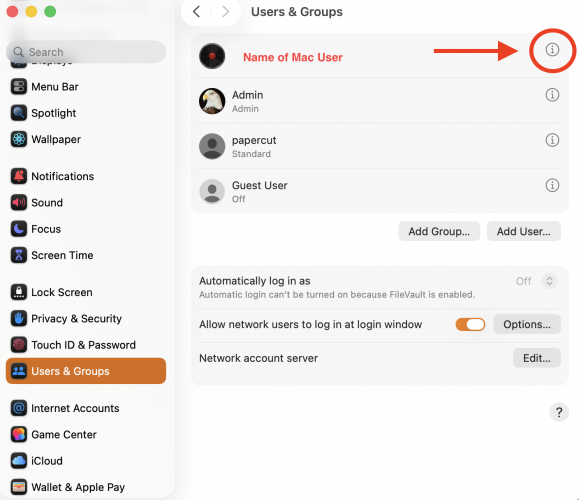
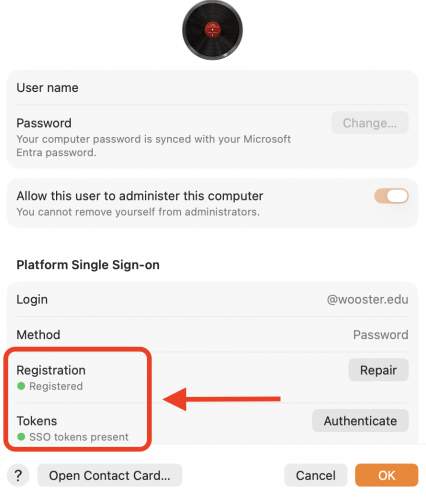
- As a faculty or staff member, if your Mac does NOT show the green indicator underneath the Registration and Tokens section found within Users and Groups, your Mac is Domain Bound. You must follow these instructions: Changing your Mac on Domain.
Change Your Password
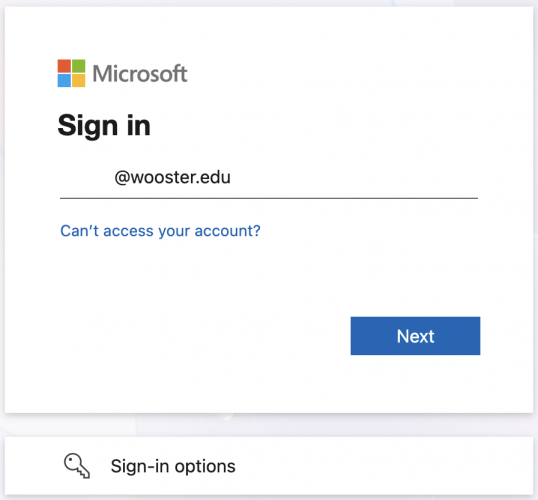
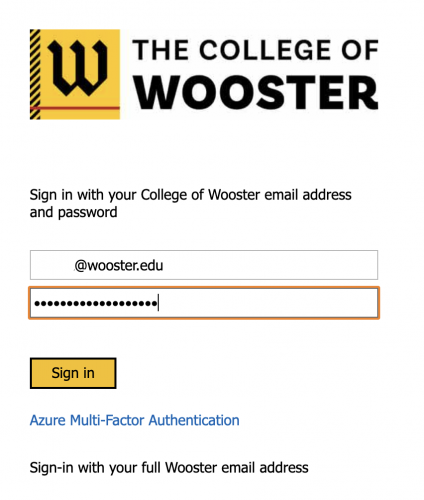
- Go to myaccount.microsoft.com and sign in with your full Wooster email address and your current password. Approve the Microsoft Authenticator prompt on your phone if asked.
- On your account page, expand it, and click Change password.
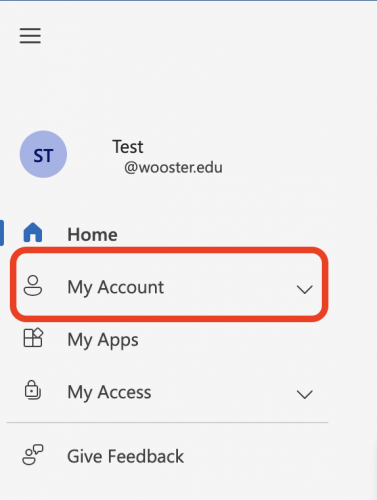
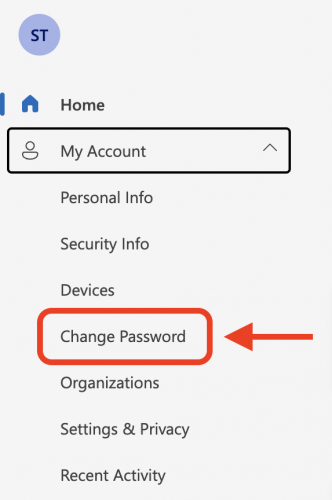
- Enter your current password, then enter a new password and type it again to confirm. Choose something you have not used before.
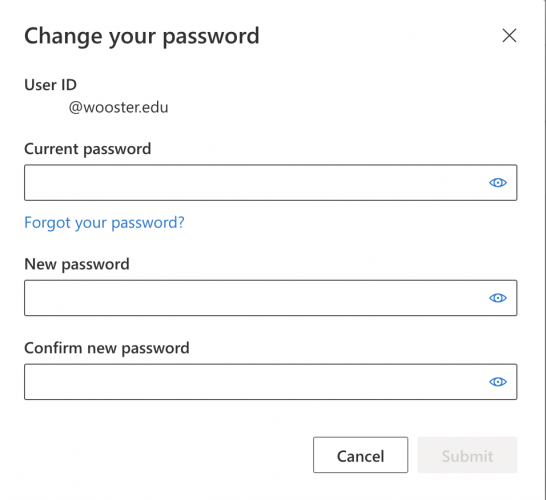
- Click Submit. When you see confirmation that your password has changed, you are done.
- On Windows, the change is immediate. On Mac, it can take several minutes.
Getting Help
If you run into sign-in problems after changing your password, contact the IT Help Desk.
- Email: helpdesk@wooster.edu
- Phone: 330-287-4357 (330-287-HELP)
- Walk-in: Burton D. Morgan Hall – Help Desk, 4th floor
- Hours: Monday through Friday, 8:30 am to 5:30 pm