
What can we help you with?
Changing Your Mac Password While Off Campus
UPDATE: Faculty and staff who received new computers after March 2nd, 2026 can no longer change their password with this method and should follow these instructions instead
To ensure your Local User Account password and Domain password match, follow the steps below on your Mac computer when off campus.
- Make sure you are connected to the VPN. Directions for installing VPN
- On your Mac, choose Apple menu > System Settings and then select Users & Groups
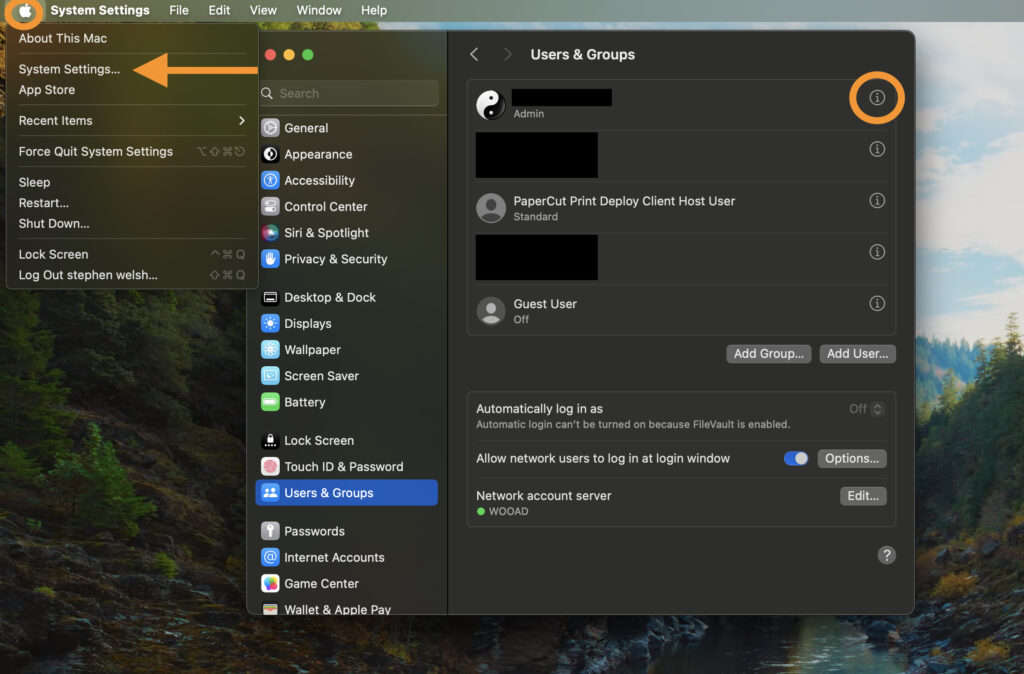
- Select the information “i” at the end of your user name
- Select Change…

- Enter your current password in the Old Password Field
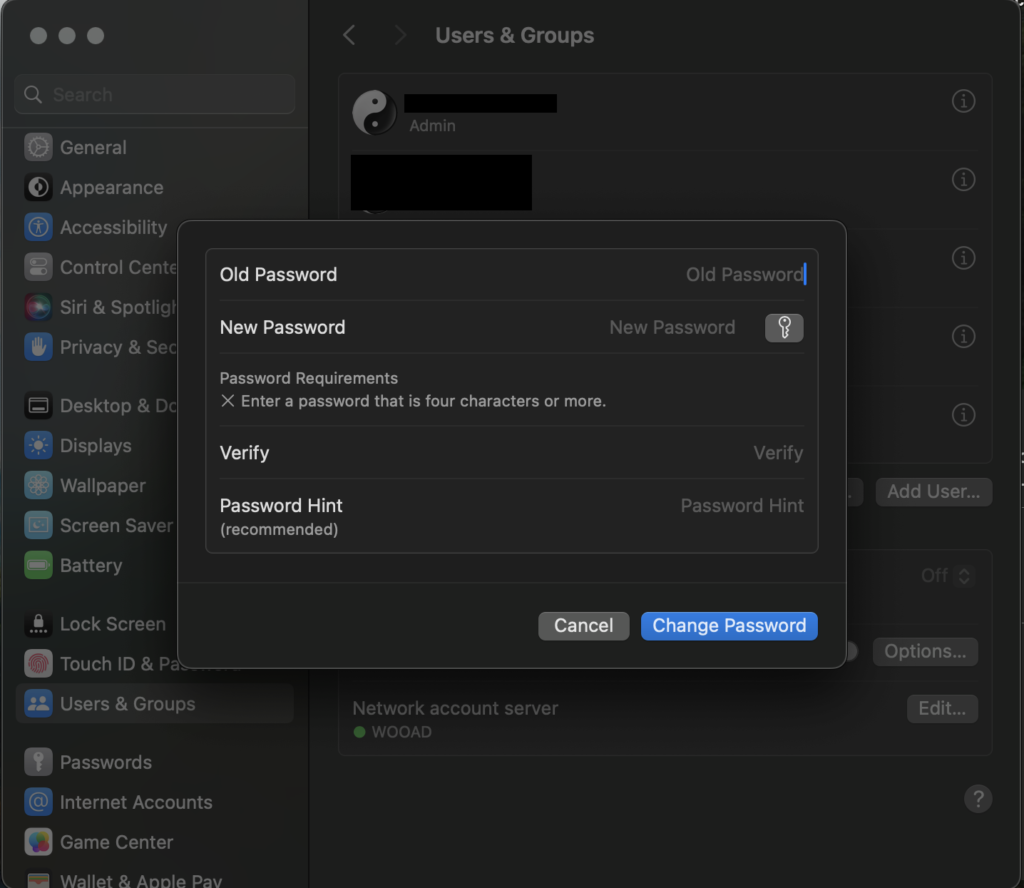
- Enter your current password in the Old Password field.
- Enter your new password in the New Password field and enter it again in the Verify field.
- You DO NOT need to enter a hint
- Select Change Password