
To utilize the most efficient and convenient method of payroll distribution, The College of Wooster requires all full-time and part-time employees to direct-deposit net pay into a checking or savings account. The checking or savings account may be at virtually any U.S. bank, savings & loan association, or credit union. An online pay stub containing pertinent payroll information about each electronic direct-deposit is supplied to the employee on each payday. It is available at The College of Wooster Self Service.
To sign-up for Direct Deposit or to edit your bank account information for your Direct Deposit, please sign into The College of Wooster Self-Service.
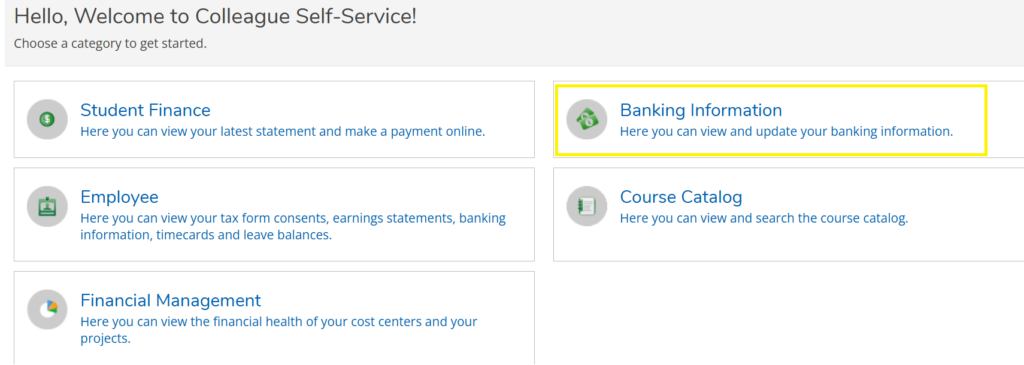
Click on the “Banking Information” tab.
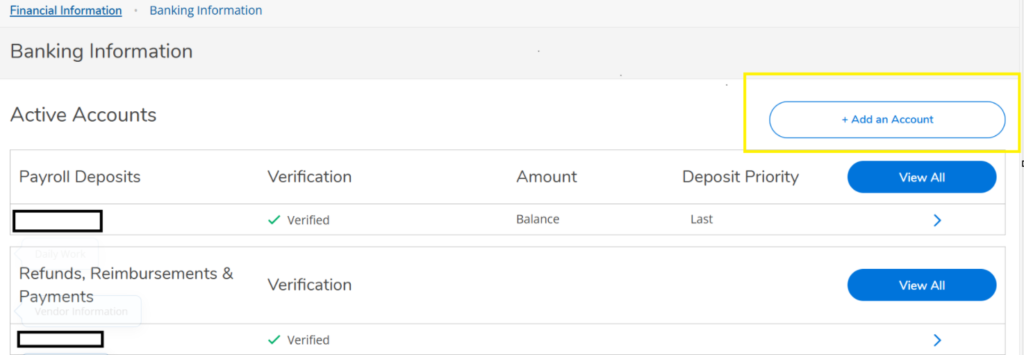
Click on the “+ Add an Account” button.
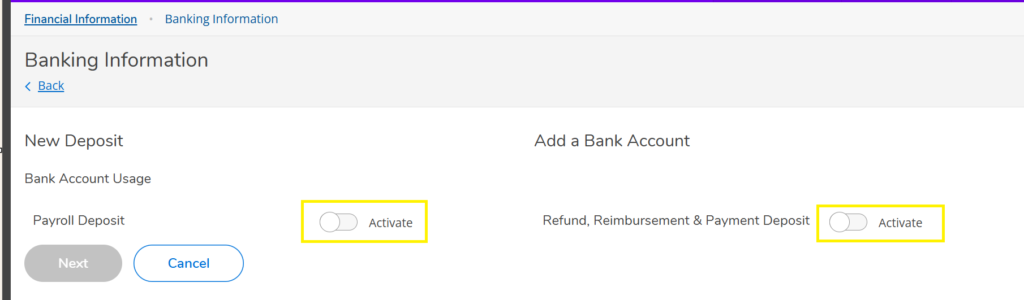
Click on the “Activate slider” to select for Payroll and/or Refund, Reimbursement & Payment Deposit for Accounts Payable.
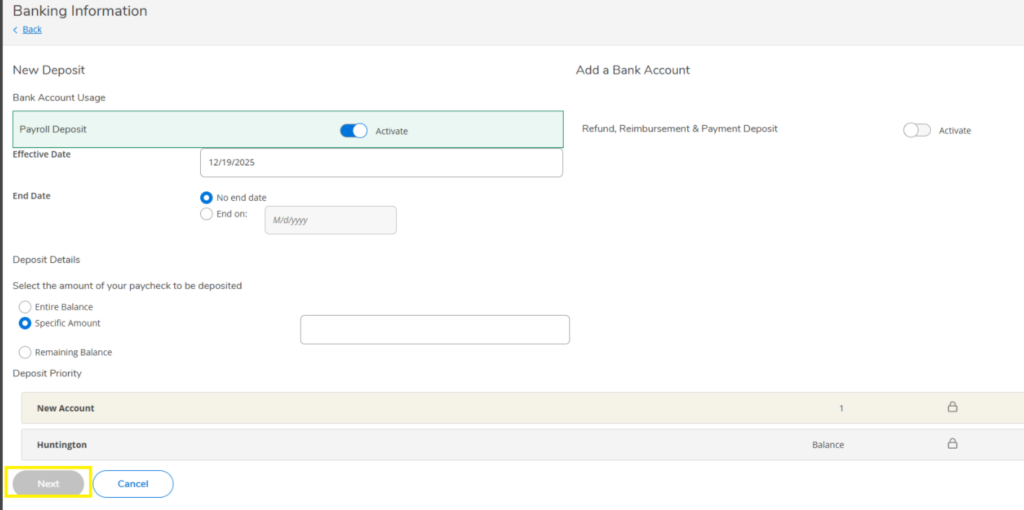
Complete the Banking Information screen and click on “Next”.
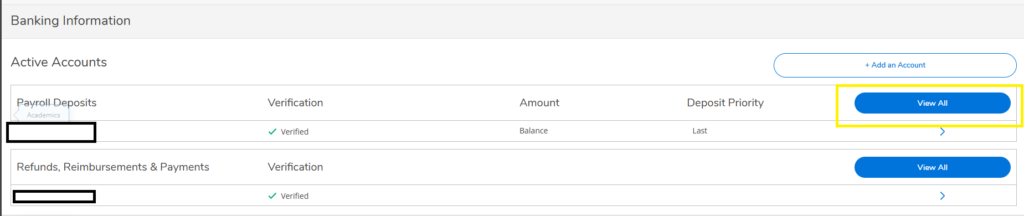
You can then go into your accounts and select “View All” to make other changes or cancel an account:
Note:
New Account Setup: Please allow 3-5 business days for the bank verification process.
Change Account: Please allow 3-5 business days for the change in bank accounts to be verified. This authorization replaces any other direct deposit authorization made on a previous date.
Cancellation of account: Please allow 3-5 business days.
Wooster Financial Institutions: Many financial institutions in Wooster/Wayne County offer regular or special checking accounts with no monthly service fees to customers with electronically deposited paychecks. To learn more about these options, please contact the financial institutions. Some financial institutions may require minimum deposits and/or enrollment in specific types of accounts to avoid being charged monthly service fees; contact the financial institution for further details.
If you have questions please email or Teams us!