

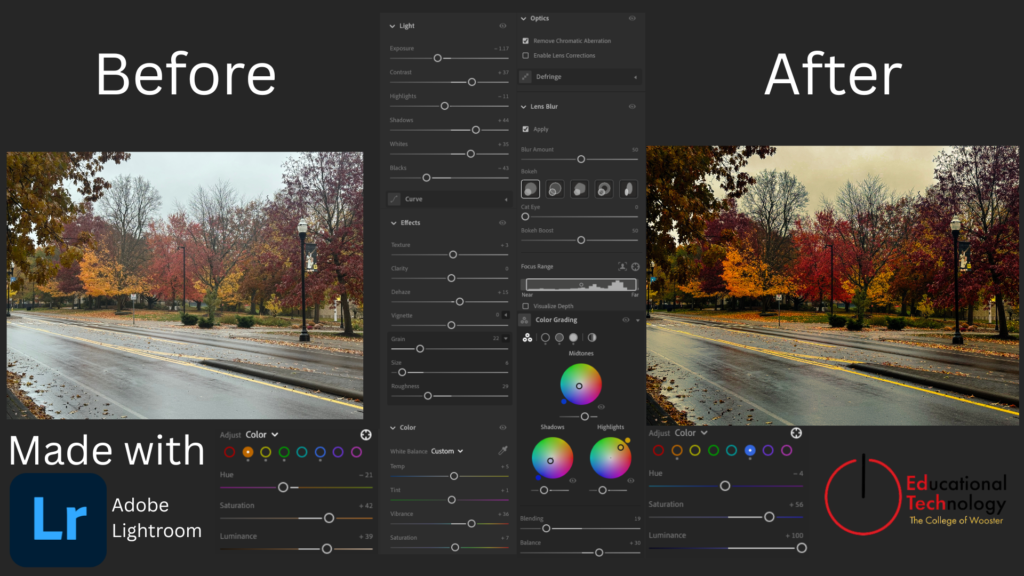
Transforming a dull photo into a vibrant, cinematic autumn landscape
Using the global saturation slider can be a quick edit to increase the vibrance of an image but it does not allow for specific, striking objects/colors to be highlighted. What you could do instead is:
- Use the Color Grading panel to add specific tints to shadows, mid-tones, and highlights. In this image, I added a blue tint to shadows and an orange tint to highlights which caused the shadows on the road to pop out more and helped the orange trees to stick out from the background.
- Use the Color Mixing panel to edit the hue, saturation, and luminance of different colors to customize their appearance individually. In this image, I edited the saturation and luminance of the blue and orange hues to increase the striking color of the trees and the reflections on the wet road.