-
Spring 2022 Ed Tech Workshops
Student Technology Assistants (STAs) and professional staff are offering a series of workshops crafted mainly for students working on academic and personal digital projects but which are open to everyone. To view workshop details and to register, visit the linked titles below. All events are held in-person in Andrews Library. Please bring a device to the…
-
Spring 2022 Workshops for faculty and staff
Educational Technology professional staff and our Microsoft training partners are facilitating sessions in January, February, and March. Read on for details. Student Technology Assistants (STAs) and professional staff are offering a series of workshops crafted mainly for students working on academic and personal digital projects but which are open to everyone. See our Spring 2022 Ed Tech Workshops post…
-
October Microsoft Sessions

Educational Technology invites faculty and staff for in-person sessions focusing on Microsoft Word. Registration for the workshops is available on our Events page. Registration is encouraged, but not required. Got Style? Word Up! Learn how to use Microsoft Word for formatting documents with styles, automatic table of contents, captions, and more. You’ll be learning by…
-
Copyright-free Media
Please see our article Comply with Copyright and Fair Use guidelines in Course Material for more information. Media Sources that offer Audio, Image, Video Audio Sources Image Sources “Digital Archive of Literacy Narratives” http://www.thedaln.org/#/home.
-
Digital Media Bar
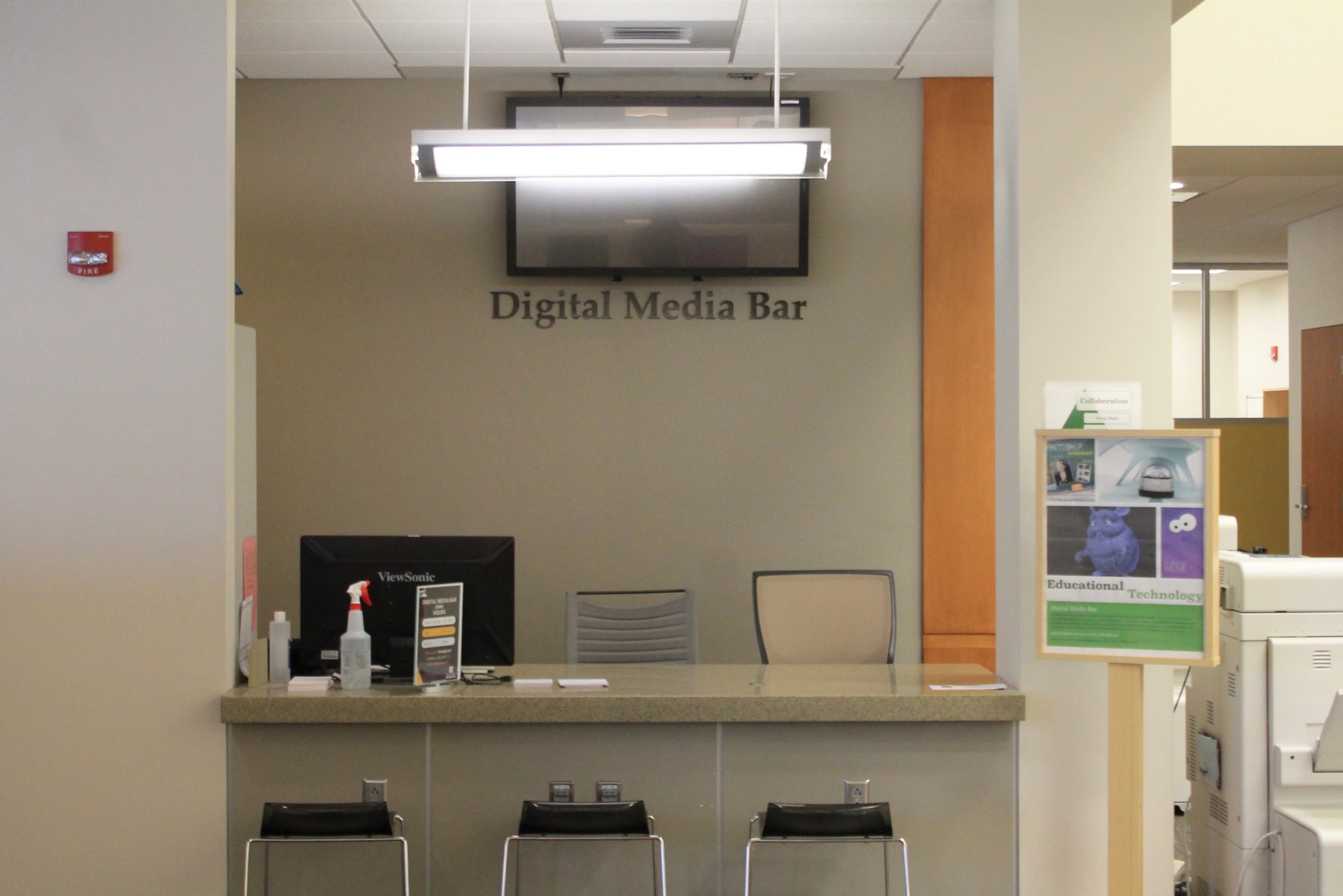
The Digital Media Bar is a desk in the CoRE area of Andrews Library (see map below) staffed with student Digital Media Assistants who are available for consultations in-person or via Teams. The Digital Media Bar is staffed when classes are in session. Additionally you can Book an appointment for the best service. Meet our Student Digital Media…
-
Pre-semester Ed Tech Workshops for Faculty 2021
Educational Technology hosted pre-semester workshops for faculty on Friday, August 20, 2021. Participation was in-person in Williams 060 or via the Teams webinar. See links below to access the recordings in Microsoft Stream. Moodle Basics Moodle is the College’s learning management system that provides an online course space for every course section. All instructors and students are…
-
Microsoft Lens

Microsoft Lens is a scanning application integrated with Office 365 apps. Microsoft Lens trims, enhances, and makes pictures of whiteboards and documents readable. You can use Microsoft Lens to convert images to PDF, Word, PowerPoint, and Excel files, digitize printed or handwritten text, and save to OneNote, OneDrive, or your local device. Because Lens is linked…
-
Microsoft Forms integration
With Microsoft Forms, you can create surveys, quizzes, and polls. Microsoft Forms is available through our College Office 365 account. For more information, visit our Microsoft Forms workshop post. Tips and Updates @Mike Tholfsen and his Microsoft EDU team release video updates. We invite you to strengthen your Forms’ skills with their Forms YouTube playlist and…
-
Perusall Best Practices

Why Perusall? Perusall is an e-reader platform that allows students and faculty to annotate assigned readings, text, video and more. It allows for social engagement that is like social media platforms. To learn more about pedagogical applications, read Perusall’s Student Collaboration page. To explore feature updates, see the Perusall Blog or their changelog for ongoing…
-
Class Teams

What are Class Teams? Microsoft Teams is the digital hub that brings conversations, content, and apps together in one place. Class Teams are one of the types of Teams that can be made in Microsoft Teams. A Class Team is automatically created for each course section from Moodle once the instructor makes the Moodle course…
