-
Continuity Workshops

Educational Technology is offering workshops – virtually via video call in Microsoft Teams – for faculty to support continuity of instruction. Sessions will focus on implementing Moodle features and Office 365 tools such as OneDrive, PowerPoint, and Teams. For self-service resources, please visit our Recommendations for Continuity of Instruction post. Video recordings of workshops are…
-
Magazine templates in PowerPoint
Looking for a class project involving creating a magazine layout? A variety of technology tools are available for you and your students to accomplish the design. If you are comfortable with Microsoft PowerPoint, consider these templates (they are saved as PowerPoint template files). You could host these files in Office 365 and use one “magazine”…
-
MLK Jr. Day 2020
Educational Technology commits to recognizing the rich diversity of educators, technologists, and leaders who influence our work. Our student employees spent last semester researching and writing about some of these people. You can view their work at the Digital Media Bar in Andrews Library or read more about them in our News post. Follow us…
-
Designing Your Course In Moodle workshop

Organization Course settings Course image Format: weekly vs topic. All visible or one section at a time Completion tracking (Activity Completion) Formatting labels, pages, descriptions displayed on course page indents, text editor headings Blocks Calendar Activities Office 365 connector with Moodle upload files from OneDrive calendar feature (careful of sync!) Grade Me Media Video Audio Images…
-
Cybersecurity Awareness
Keep your computer up to date. Backup your files frequently. Use a different password for each site
-
Workshop Resources
Student Technology Assistants (STAs) offered a series of workshops crafted specifically for students for working on academic and personal digital projects. If you weren’t able to join us, please visit our workshop posts or visit the Digital Media Bar for help. Audacity Posters with PowerPoint Cybersecurity Awareness Creating Basic Infographics with Easel.ly Making a Website…
-
Formative Feedback
Learning Goals Defining feedback and formative assessment Then share to group via our Padlet What’s Padlet? Visit the Padlet features page for details. Free account has limits. Mid-term evaluations using Forms Standard Evaluation Forms (Hard-copy) available on Wooster.edu Online Course Evaluations through Qualtrics available at the Teaching and Learning site Example Faculty Evaluation Questionnaire Form-B Yellow…
-
Microsoft Teams
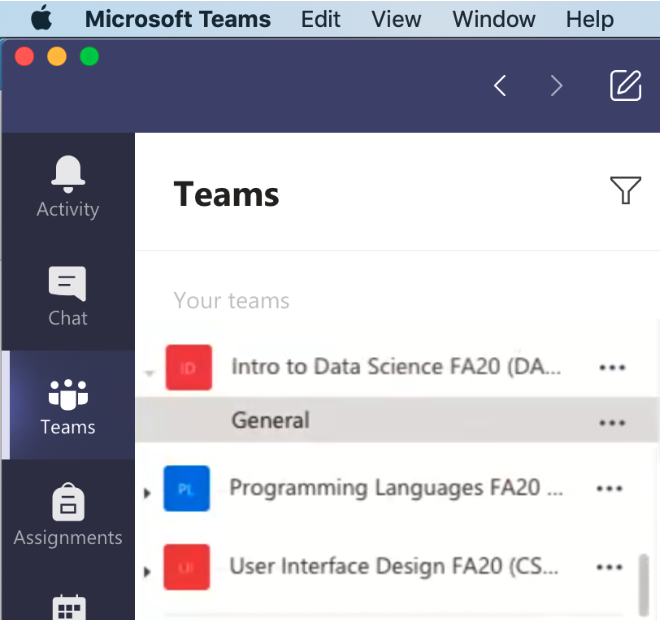
Microsoft Teams is a digital hub that brings chat, video calls, files, and apps together in one place – all from a single experience in Microsoft 365. Any College user can create a Team. Visit our Teams Types post to compare features in the various Team types available.. Further support Class Teams Teams Meetings – Video…
-
Pre-semester Ed Tech Workshops for Faculty 2019

Educational Technology is hosting pre-semester workshops for faculty on Monday, August 12 and Monday, August 19. Topics include: Below are the times. Workshops will be held in Andrews Library McCoy Lab (past Special Collections) unless otherwise noted. Registration is available on our Events page. Registration is not required, but appreciated. Monday, August 12th9:30 AM –…
-
Microsoft Teams for Blended Learning
When prompted to identify and evaluate a tool, application or resource that supports learning in an alternative learning environment (e.g., blended, flipped, fully online, project-based learning. etc.), I have selected Microsoft Teams for Classes. Our College values face-to-face interaction and offers no classes which are strictly online. We host a Moodle instance with a course site for every credit-bearing class and offer…
